
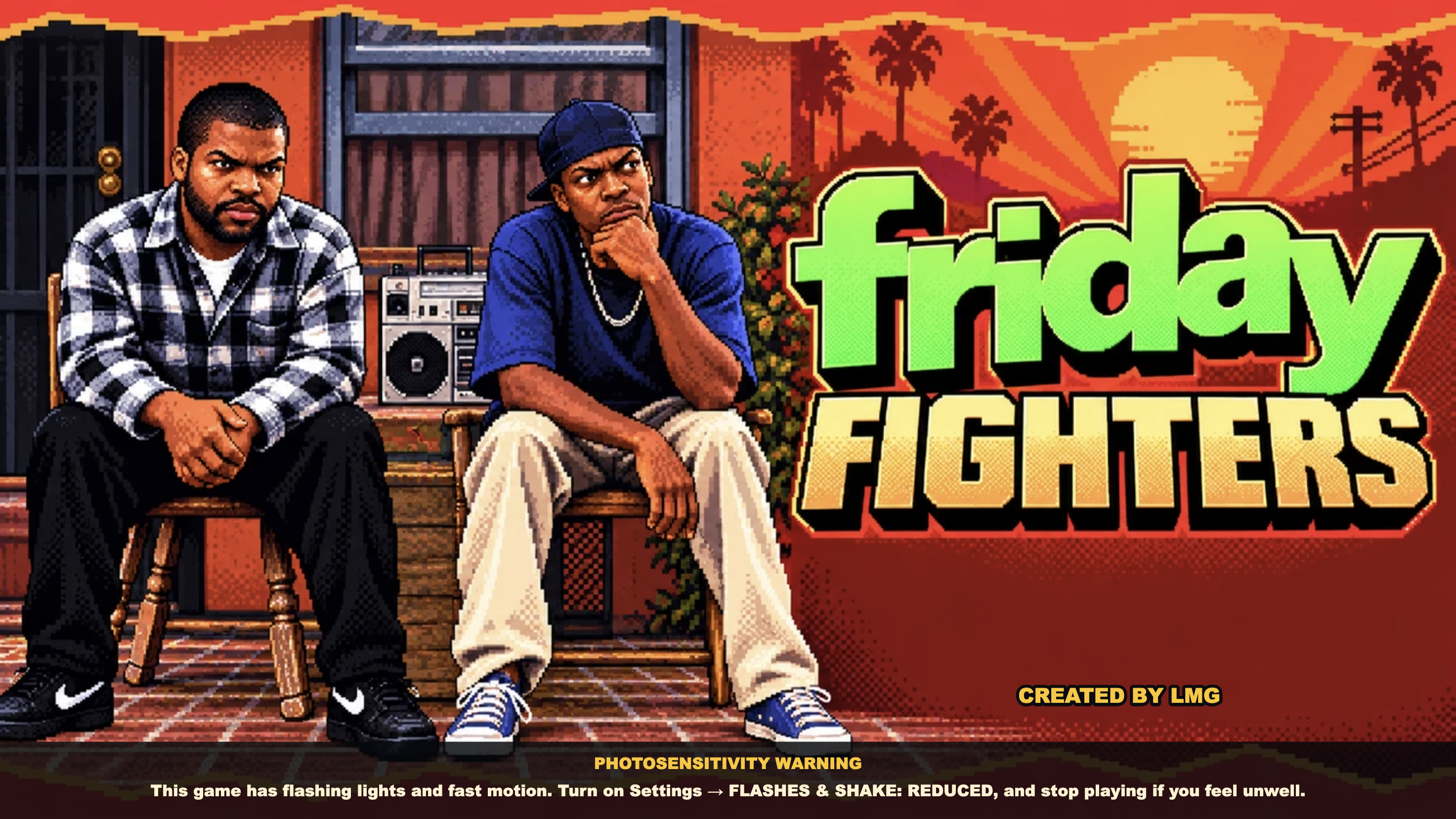

Which Friday fighting game is this?
The Friday fighting game covered here is Friday Fighters, created by LMG and available at fridayfighters.com. It is a free browser fighter inspired by Friday, Next Friday and Friday After Next. It is a separate game from Friday Night Funkin’.
The creator explicitly calls it an unofficial fan tribute, unaffiliated with New Line Cinema, Warner Bros., Cube Vision or the filmmakers. The link above goes to the game creator’s own site; Nisu provides this guide and does not host the game.
The creator documents keyboard, gamepad and touchscreen support. You can start in the browser without an account. On a phone, use landscape orientation; if an in-app browser keeps the screen locked upright, the controls page recommends opening the game in your regular browser.
Choose Training before a longer mode
Training gives you a practice opponent and replenishing meter. Use it to find your fighter’s attacks before committing to Arcade or Story. VS CPU is a single computer-controlled fight where you choose the sides and stage.
Arcade is a seven-fight ladder, while Story follows twelve chapters across the films. Those are longer sessions. For an initial attempt, learn how to move, block and pause, then try a short fight before choosing a longer route.
The creator describes matches as best of three rounds with a 99-second round timer. If time expires, remaining health decides the round. Watch the health bars and timer as well as your attacks; pressing more buttons is not a substitute for noticing the opponent’s response.
Default player-one keyboard controls
The table below uses the creator’s classic keyboard layout for player one. Settings also offers a Compact layout and rebinding, so the in-game move list is the reference after you change controls.
Start by moving, blocking and landing a light punch. Once those inputs feel comfortable, add the other attacks. The documented auto-combo begins after a hit connects: keep tapping light punch to continue the chain. Practise it against the training opponent before expecting it to work under pressure.
| Action | Classic P1 input |
|---|---|
| Move | W, A, S, D |
| Light / heavy punch | Q / G |
| Light / heavy kick | V / B |
| Special or throwable | H |
| Super 1 / Super 2 | T / Y |
| Ultra | T and Y together |
| Sidekick | C |
| Block | R |
| Taunt | E |
| Pause | Esc or Enter |
Pick a character version, not just a familiar name
The roster has 40 fighter slots across the three films. That does not mean 40 different people: some characters appear in multiple film versions, with different moves. Check the year beside the fighter when comparing a move description.
Three examples from the creator’s 1995 roster show the differences. Craig’s signature is a parry, Smokey’s builds meter, and Deebo’s is a low stomp. These are useful starting points for experimenting with different actions, rather than a ranking of the strongest characters.
Choose one version and practise it for a few attempts. Switching after every loss makes it harder to learn what your inputs do. When you do switch, check that version’s move list instead of carrying over another character’s signature.
Sidekicks, tag partners and online play
A sidekick is selected before a fight and can be called to help. Local 2v2 changes the sidekick button’s role in neutral: it tags in your partner. Each teammate has a health bar, and a knocked-out fighter is replaced automatically by the remaining partner.
The creator documents 2v2 for local Arcade, VS CPU and Versus. Online matches are 1v1. For two people on one computer, Versus supports a shared keyboard or gamepads; check both players’ bindings before the match starts.
Online offers matchmaking and private rooms with four-letter codes. Use the game’s own room controls and share the code with your opponent. A room code identifies a match; it is not a reward code or a promise that Nisu provides multiplayer rooms.
Build a short practice routine
Try one Training session with a single fighter version. Move in both directions, block an attack, land a light-punch chain and then look up one signature. Use a short VS CPU fight to see which part you forget when the opponent fights back.
Forward means toward the opponent, so a directional move changes with the side you are facing. The creator lists forward plus heavy kick for signatures and down plus heavy punch for launchers. Learn those two relationships before trying to memorise a whole roster’s moves.
Keep the practice goal small: perhaps blocking consistently or recognising when your sidekick action will tag a partner. The author’s controls and roster pages provide the detailed references when you need another move; this guide does not promise an optimal combo route or a competitive tier list.
Quick help
Is Friday Fighters an official Friday movie game?
No. LMG describes it as an unofficial fan tribute and explicitly disclaims affiliation with the film companies and filmmakers.
Can I play 2v2 online?
The creator’s current guide says tag-team 2v2 is local only; online matches are 1v1.
Why do my keyboard buttons differ from this table?
The table uses classic player-one defaults. Compact layout or custom bindings change them; check Settings and the in-game move list.
Are there 40 distinct movie characters?
The creator lists 40 fighter slots, including different film versions of some characters. Check the character’s year as well as the name.
Source and scope
Checked LMG’s live About, How to play, Controls and Fighters pages on October 24, 2026, and viewed the browser title screen. Mode and control descriptions follow the creator’s documentation. No completed arcade or story run, controller compatibility test, offline installation or online match is claimed.