

The controls change when the second act begins
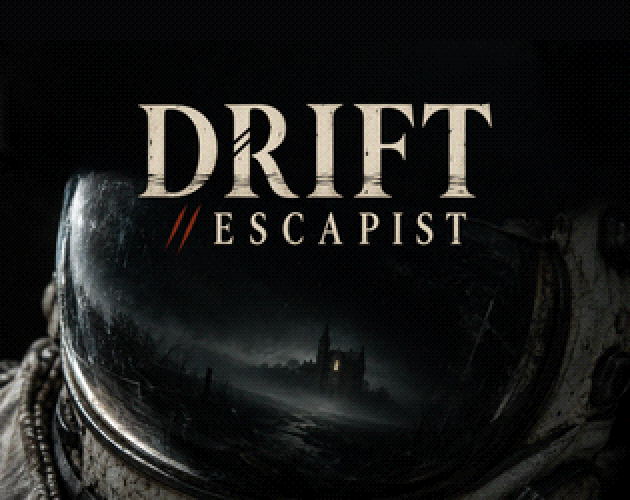
Drift Escapist is Fengyu Xu’s two-act browser horror game, presented as DRIFT // ESCAPIST. The opening takes place aboard a wrecked ship; the next act switches to first-person rooms.
The first act uses sideways walking while the mouse aims a torch. In the second, WASD handles movement and the mouse controls your view. E remains the interaction key, but the later act also introduces separate Cut and Stab inputs. The table follows the developer’s current instructions, reviewed October 12; we have not played the game ourselves.
| Action | Act I: ship | Act II: first person |
|---|---|---|
| Move | A/D or Left/Right | WASD |
| Move faster | Shift: hurry | Shift: sprint |
| Mouse movement | Aim the torch | Look around |
| E | Look, take, use; advance subtitles | Use |
| F | Toggle torch | Toggle helmet lamp |
| Other keys | Tab: notes | Space: jump where allowed |
| Cut / Stab | Not listed for this act | Hold left mouse button to Cut; hold right mouse button to charge, release to Stab |
Hold to Cut; charge and release to Stab
In the first-person act, Cut uses a held left mouse button. Stab uses a held right button to charge and a release to perform the action. Wait until you are ready to perform the Stab before releasing the right button. The official page does not specify a universal charge duration.
The story presents choices involving these actions, but the published instructions do not supply an eight-ending route map. Use them to operate the interface; they do not establish which choice produces which ending. We have not verified ending names, ideal routes or every branch.
Space is also conditional. The developer says jumping is available where permitted and describes a touch JUMP button in the one room that supports it. A missing jump action elsewhere is therefore not enough by itself to diagnose a broken key.
Pause to release the mouse, or use landscape touch
The game captures the mouse during play. On the ship, the torch beam serves as your cursor. Press Esc to pause and release the pointer, then choose Resume to capture it again. Use Esc when you need the pointer for the browser.
On a phone or tablet, the developer specifies landscape orientation. A movement stick appears beneath the left thumb; pushing it to the outer rim runs. Drag on the right to aim the ship’s torch or, in the second act, look around. The pause button is at the top right.
The ship’s touch buttons are USE, LIGHT and NOTES. The first-person buttons are USE, CUT, STAB and LIGHT, with JUMP where it is allowed. Hold CUT to cut; STAB is described as a held charge. These are documented touch controls, not a claim that we have tested every mobile browser.
A gamepad can move, look and act, but the developer says the ship’s panels and menus still require mouse or touch. Keys cannot be remapped. If you need a controller-only session, that menu limitation matters before you start.
Keep the browser save, then revisit reached choices
Progress saves automatically in the browser. Continue on the title screen resumes it. The developer explicitly warns that clearing the site’s data erases progress, so avoid clearing it while keeping a run. The listing does not establish account-based cloud saves or automatic transfer to another device.
After your first ending, the title screen lets you return to choices you have already reached. Choose a reached point from that menu when you want to explore a different decision. The developer does not say that every unseen branch opens at once.
The developer lists eight endings and estimates about 40–60 minutes for a first ending, with roughly 20 minutes aboard the ship. Seeing all endings is estimated at two to three hours. These are the creator’s estimates, not timings from a Nisu playthrough. You can use them to plan a session while leaving room for reading and exploration.
Reduce flicker changes some effects, not all flashes
Reduce flicker is available at the lower left of the title screen and in the Esc menu. According to the developer, it slows the alarm effect, steadies flickering lamps and softens white flashes. Red memory flashes remain unchanged. The setting therefore does not make the game flash-free.
Other Esc-menu controls include reduced vertex jitter, reduced grain, mouse sensitivity, inverted Y, subtitle size, volume and English/Chinese language selection. The developer suggests disabling Light in the air if performance is slow. Changes are described as taking effect immediately.
The dialogue is on-screen text with speaker colours and placement; the game has no voice acting. Read the subtitles rather than waiting for spoken dialogue. The listing also gives content notes for self-harm, death, blood and disturbing scenes. Review those notes on the official page before choosing to play.
Quick help
How do I release the mouse?
Press Esc to pause and release it. Resume captures it again; the ship uses the torch beam as the cursor.
Where is my saved game?
Choose Continue on the title screen in the browser holding your progress. The developer says clearing site data deletes the save; cross-device syncing is not documented.
Can I replay choices without restarting everything?
After the first ending, the title screen lets you return to choices you have reached. This does not establish that unreached branches are unlocked.
Does Reduce flicker remove every flash?
No. The developer says it changes the alarm, lamps and white flashes, while red memory flashes remain.
Source and scope
This independent guide draws on Play Drift Escapist on itch.io, checked on Oct 12, 2026. Published requirements and rules come from the linked sources; practice routines and examples are Nisu editorial suggestions.