
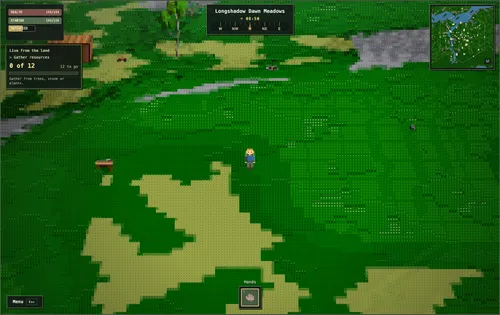

Enter the correct world on a desktop browser
Asciilands runs free at asciilands.io/play/. The developer currently supports desktop and laptop browsers. Mobile, a downloadable client and Steam are future plans, so a phone is not the supported way to begin. Optional donations are separate from free access.
Customize your character, choose a server and use Play as guest, or sign in with Discord. The guest route includes a Keep your adventure prompt: choose Play as guest again to continue without Discord. A new character then chooses Start together or Start farther away before Begin. The latter is described as remote forest or plains, with coastal regions more likely; it is not a guaranteed private area.
The server picker showed Europe and North America during our check. Europe was full, while the North America guest route entered the world. Capacity and latency change: read the current picker instead of treating those results as a promise of access.
A saved guest character still depends on its browser
Progress saves automatically on the server, including guest progress. However, the in-game account help says a guest character belongs to the current browser. Clearing browser data or closing an incognito session can lose access. Avoid using an incognito session for a character you want to keep.
Connect Discord to use your character across devices and access Friends, Parties and Towns. The account help says an existing played character on that Discord account is kept alongside the guest save. We inspected that explanation, rather than testing an account migration.
The world is persistent, but the official FAQ leaves room for future wipes. It suggests builds and world data may be affected without necessarily wiping items; that is a possibility, not a guarantee of protected inventory or a never-wipe policy.
The keys you need before gathering
The live Help menu lists these defaults. Movement bindings can be changed under Settings → Controls. Click the world to look around and hold Alt when you need a free cursor. Escape opens or closes the menu.
Use Help in the menu to reopen the field guide or replay the tutorial. The current menu uses Crafting C and Social N; an older shortcut list showing only Inventory and Market does not describe every current tab.
| Input | Current function |
|---|---|
| W A S D / Space / Shift | Move / jump / sprint |
| Left click, hold to repeat | Gather from trees, rocks and fiber plants |
| F | Use a nearby station, door or chest; harvest fiber |
| I / C / B | Pack / Crafting / Build |
| M / J | Map / Journal |
| T / N | Town / Social |
| O / H / Esc | Settings / Help / menu |
Make a workbench before your first stone tool
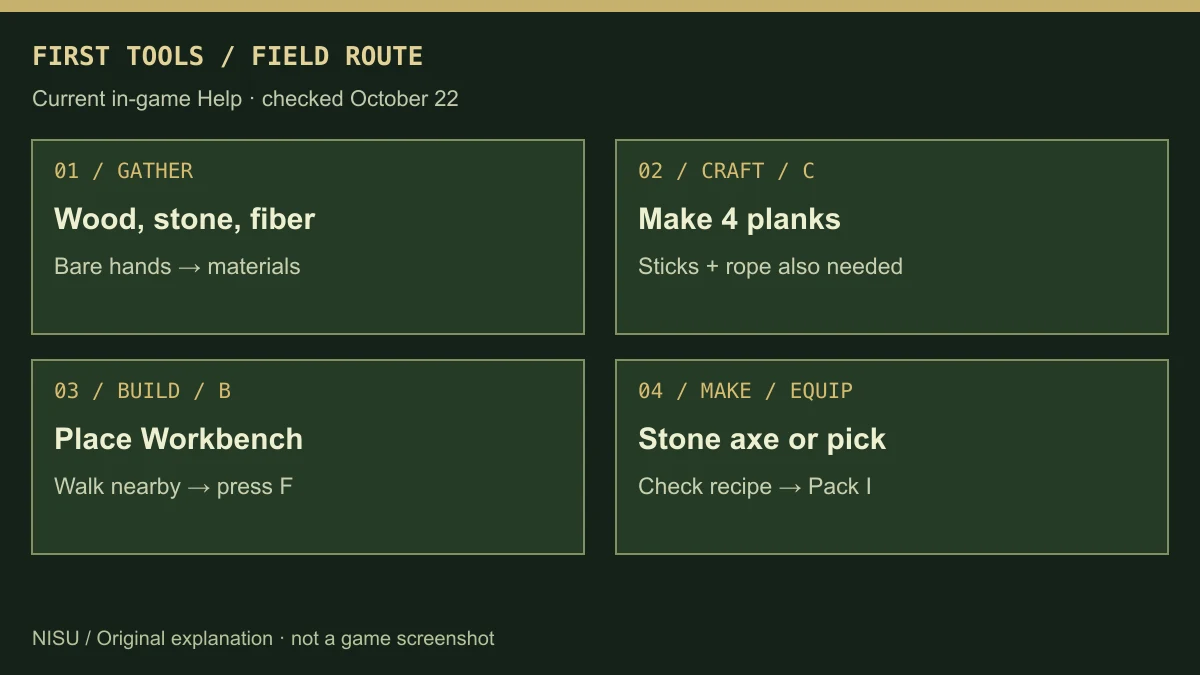
The current starter help gives a specific route: gather wood, stone and fiber with bare hands, open Crafting C and make four planks from wood, then open Build B and place a Workbench. In our fresh guest menu, Workbench was still marked Undiscovered with Obtain Plank, which explains why it may not appear ready to build immediately.
Craft sticks and rope in C. Walk to the workbench and press F, select Stone Axe or Stone Pickaxe, inspect its ingredient list and choose Make. Stay near the station while it crafts. Then open Pack I, select the finished tool and choose Equip. Use the live recipe panel for the required quantities; the route here is not a claimed minimum-material speedrun.
Hand crafting and station crafting are separate. C handles basic supplies such as planks, sticks and rope; stone tools need the workbench. Can make filters to recipes you can afford. Discovering materials reveals more recipes, so an empty or locked list can mean missing discovery rather than a broken crafting button.
Move from stone tools to bronze and iron
Bare hands collect the first wood, stone and fiber. An axe improves tree gathering; a pickaxe improves rock gathering. The Materials help says a stone pickaxe mines copper, tin comes from panning at water edges, and iron ore or bog iron requires a bronze pickaxe or better.
The metal route is copper and panned tin → smelted ingots → bronze → a forged bronze pickaxe → iron. The current help gives an iron example: two Iron Ore plus one charcoal at a Smelter produce one Iron Ingot; two bog iron plus one charcoal are another route. Charcoal is made from two logs at a campfire. These are help-panel recipes, not a production chain we completed.
New metal heads and blades are made at a Forge; an Anvil repairs equipment. The forging help separates heating, shaping and finishing, with a dashed target outline and a gold heat band. Do not assume the anvil is the place to manufacture a new head. Exact quality bonuses and every tool recipe are beyond this starter route.
Players also ask where iron spawns. Materials differ by region and some regions have none, according to the current help. Explore the map or trade; the presence of copper near a spawn does not establish an iron deposit there. We have not verified a fixed iron or star-iron coordinate route.
Food, weight and a rest point keep the trip going
Gathering and sprinting spend stamina. Low stamina slows swings, while hunger slows stamina recovery and stops healing. The starter help suggests apples from trees or berries from fiber plants; select food in Pack I and choose Eat. Cook meat or fish with fuel at a campfire.
Carry weight also matters: exceeding the pack limit slows walking and disables sprinting. The help recommends a Simple Bag to increase the limit, or storing and dropping supplies when full. Check the item and recipe panels before planning a long ore trip.
Build a campfire or camp and use Z nearby to sit and set a rest point. Look for Rest point set. The help says death offers Respawn at that point and keeps inventory; if the rest structure is gone, the starting location is used instead. This describes the current help, not an independently tested death-and-recovery run.
Start with a foundation and understand what decay removes
Open Build B and choose a piece. Place the foundation on dry, level ground, then add walls, a doorway and a roof. A green preview allows placement; a red preview explains a blocked spot. Left click places, R rotates floors, roofs and stairs, and Escape finishes. Walls orient to their edge.
Maintain repairs worn pieces using a wooden hammer and the shown materials. Upgrade to stone also needs a wooden hammer and stone materials. Disassemble removes your own pieces and returns half their materials, rounded down. Remove furnishings first, and dismantle from the top: losing a support can collapse what rests above it.
Current help says wilderness buildings begin decaying after one day. Claimed town land and maintenance therefore matter even if a guest can build alone. Each region has a 4,096-piece cap shared across players, including stations, chests and doors; Build shows Region Cap. At the limit, new placement is refused without a material cost.
A chest is not private merely because you placed it. The help says anyone within reach can take items from chests and stations. Walls, a closed door and the town permission rules need attention; do not leave valuables in an exposed public chest.
Discord, iron discovery and a funded treasury come before a town
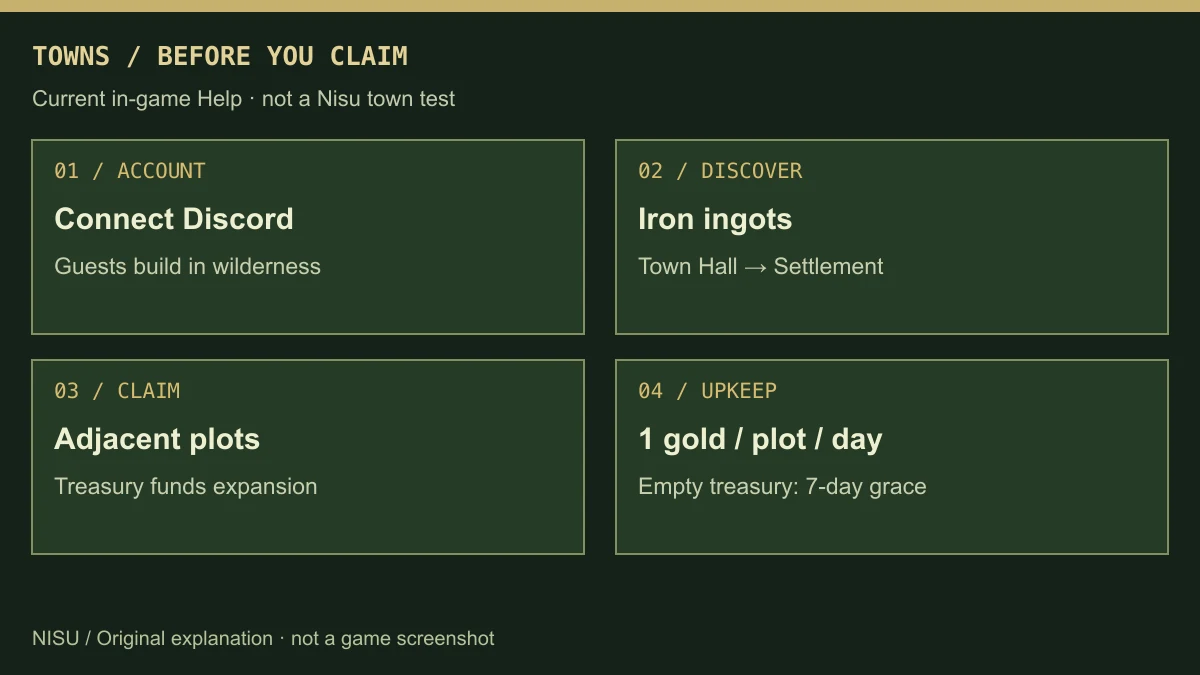
Guests can explore, craft, trade and build in the wilderness. The Town panel asked our guest to sign in. To found a town, the help requires Discord, discovery of iron ingots and a Town Hall from Build → Settlement. This is a later milestone, not a button a fresh guest can use immediately.
The listed starting claim is one 50 × 50 metre plot. Founders and officers use treasury gold to claim adjacent plots. Upkeep is one gold per plot per day. If the treasury is empty, the help gives seven days to pay before the town lapses and land is released. Recheck this panel before committing a treasury: open-beta economy rules can change.
Building access depends on roles and plots. Townmates with building permission can open relevant doors, but nearby chests and stations remain accessible within reach. Leaving a town does not transfer ownership of your buildings, according to the help; plot surrender and repossession do not promise a refund.
Bring friends through Social, then accept the invitation
Open Social N after connecting Discord. Copy a friend code or enter theirs and accept requests in Invitations. Create a party from Party, then invite a friend or share its link. The current help allows up to eight players and says invitation links last 24 hours.
Opening the link is not the last step: once in the world, accept the invitation in Social. Town invitations also need acceptance. We did not send invitations, join another player’s group or verify cross-region travel; use the live server and invitation panels when coordinating.
What the Frontier Update adds
The official update banner lists a North America server, farming, hoes in every metal, Meat Pies, Berry Tarts, coastal lands, town upkeep and a supporter queue. It does not make a phone version available.
The current Survival help explains the farming loop: craft Berry Seeds from berries or Wheat Seeds from fiber, place the matching plot on open dry ground, then use F to plant and harvest. It lists ten minutes for berries and fifteen for wheat, including time offline. Hoes tend growing crops, while compost is another improvement. Check the live plot for its state and keep enough pack room for a whole harvest.
The official October 5 trailer below predates our October 22 menu check. It shows the world’s appearance and exploration, rather than proving today’s recipe costs, land rules or server capacity.
Official developer trailer. The exploration scene around 0:43 was watched; this is older footage, not a current recipe or server-capacity demonstration. If the embedded player requests sign-in, use the video title to watch on YouTube.
If you cannot connect or the world is hard to read
Check the selected server, current status and queue prompt first. A full server is different from a failed connection. The picker has a queue action; the North America server is another visible option, but availability and progress behavior should be checked before changing servers. Do not clear browser data as a first troubleshooting step if you depend on a guest save.
For readability, Settings O offers zoom and glyph sizing. The inspected Video panel also has Always daylight, which keeps noon light locally while the world clock continues. Lower the quality preset if frame rate drops; Reduce animated effects is available for pulsing and flicker.
The official bug-report instructions ask for details from Settings → Debug and a report in the official Discord’s #bug-reports channel. Record the action, error and server you saw. Nisu cannot recover a character, bypass a queue or guarantee a particular connection fix.
Quick help
Can I play Asciilands on mobile or Steam?
The official FAQ currently supports desktop and laptop browsers. Mobile and a downloadable client/Steam are future plans, not available-platform promises.
Does a guest save progress?
Yes, progress is saved on the server. The live Help says a guest character belongs to that browser: clearing browser data or closing incognito can lose access. Discord provides cross-device access.
Why is Workbench still undiscovered?
Our fresh guest Build panel said Obtain Plank. The starter Help instructs making four planks in Crafting C before placing a workbench, then crafting sticks and rope and using the station for stone tools.
Why can I not join a town as a guest?
Town, Friends and Parties require Discord. The inspected Town panel explicitly asked the guest to sign in; wilderness exploration and building remain available to guests.
Is there an Asian server?
The server picker inspected October 22 listed Europe and North America. We did not see an Asia entry, and have not verified a future launch date. Check the live picker for changes.
Is progress guaranteed never to wipe?
No. The official FAQ says future wipes are possible, potentially affecting builds and the world without necessarily wiping items. It does not guarantee permanent progress.
Source and scope
Based on the official FAQ and the live in-game Help panels checked October 22. Nisu entered a guest world and inspected menus; we have not completed the crafting chain, founded a town or tested cross-device recovery. Open-beta rules can change.
- Official Asciilands FAQ and Frontier Update
- Official live game: Help, Crafting, Build, Town and Settings inspected October 22
- Asciilands official Open Beta Trailer, October 5
- Player question about Asia servers; answer checked against the live picker
- Player iron-location question; guide uses current in-game material and tool requirements