
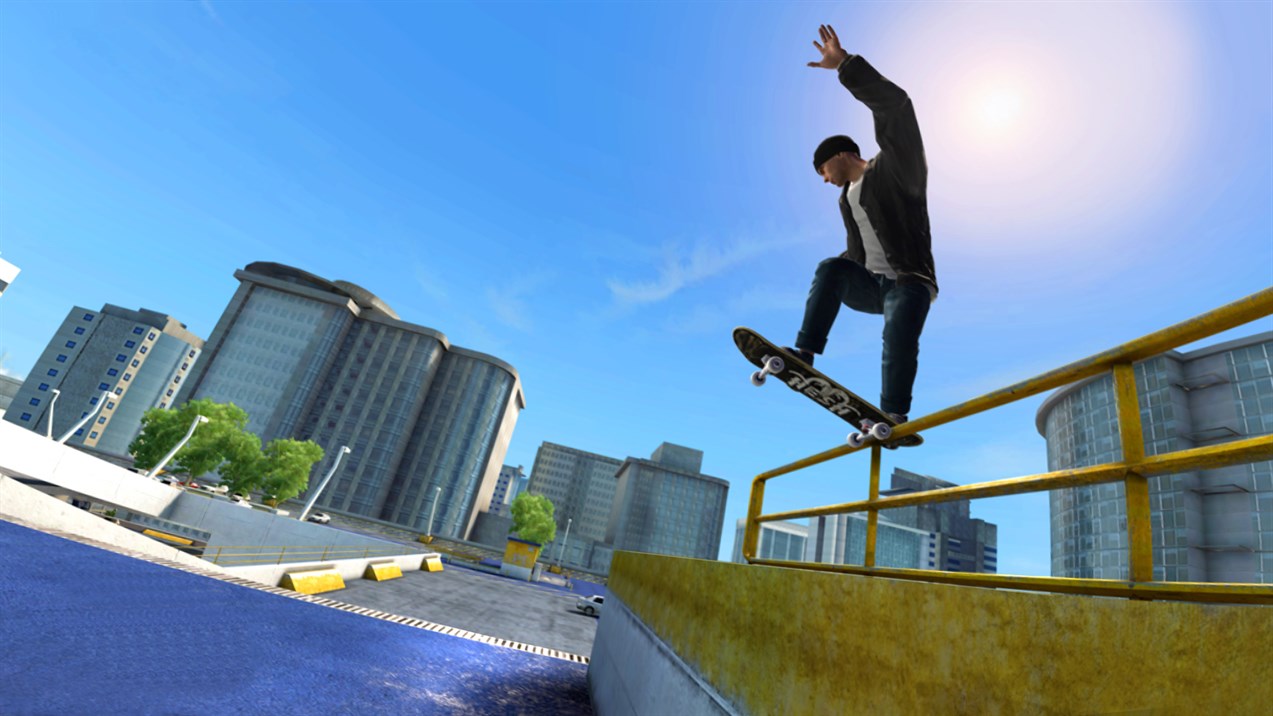

Can you play Skate 3 in a browser?
Yes: Xbox provides an official Skate 3 page for cloud play. Your browser displays a streamed game session and sends your controller input back to it. This is the route to check if you want to play on a computer without finding a native PC download.
The search phrase “Skate 3 browser” can also lead to fan projects or pages asking you to load game files. Those are separate projects with their own requirements. The Xbox route starts on xbox.com; this guide does not provide a fan port, a game-file download or a game embedded on Nisu.
Start with the button above. Confirm that the Xbox page names Skate 3 and Electronic Arts. A video showing the game in a browser is useful context, but it cannot tell you whether your account has access today.
Check access before buying anything
The Skate 3 listing identifies Game Pass Ultimate for cloud access. Sign in on the official page to see the requirements for your account and region, including whether a separate game purchase is requested. Do not assume that owning a different Game Pass plan, or owning the game on another platform, gives you this specific cloud entitlement.
Xbox offers cloud access across several subscription plans in general. That broader service description is not a promise that every game is included in every plan. The individual Skate 3 page is the useful check here. Availability, features and membership conditions can change.
| Before you start | What to check |
|---|---|
| Account and access | Sign in on the official Skate 3 page; confirm its membership and purchase requirements. |
| Region | Check Xbox’s supported countries and regions for cloud gaming. |
| Controls | The Skate 3 cloud listing says “Play with controller.” |
| Browser | Xbox lists supported browsers including Edge, Chrome and Safari. |
| Connection | Use a stable connection; Xbox recommends 5 GHz Wi-Fi where available. |
Connect the controller before launching
Xbox supports compatible controllers connected by USB or Bluetooth. Pair or plug yours in before starting the session, and confirm that the device recognizes it. If a wireless controller keeps disconnecting, trying a compatible wired connection is a useful troubleshooting step.
Do not plan around keyboard controls or touch buttons for this game. Xbox supports those inputs for selected games, but the Skate 3 listing specifically calls for a controller. A phone or tablet being able to open the cloud page does not establish that Skate 3 supports touch play.
Once the stream starts, follow the controller prompts shown inside the game. Skate 3’s Xbox listing includes on-demand tutorials. Use those before looking up advanced tricks: a short, repeatable movement is a better first test than a complicated line with several chances to miss.
Make the first session a connection check
Cloud play has two jobs to do at once: deliver a clear picture and respond to your input. A sharp picture alone does not prove the connection feels good enough for timing-sensitive tricks. Spend the opening minutes moving, turning and repeating a simple action before committing to a longer session.
Xbox recommends a high-speed connection and notes that performance depends on your location, device and network. If the picture breaks up or input feels delayed, reduce competing downloads on your connection and try a steadier network. These are troubleshooting suggestions, not a guarantee of a particular frame rate or response time.
Keep control setup and trick practice separate. If the game is responding inconsistently, changing your trick timing on every attempt makes it harder to identify the problem. Get a stable session first, then work on the movement you want to learn.
See what a cloud session looks like
MMCze’s 2022 recording shows Skate 3 running through Xbox Cloud Gaming on a PC. The opening section includes the game’s camera selection and early session setup. It helps show what you will be controlling after launch.
The recording is older gameplay footage. Use the current Xbox pages above for account, subscription and device requirements; this video does not establish current access or performance on your device.
Recorded April 2022. Gameplay context; current access requirements come from Xbox.
If the launch stops, identify which step failed
A sign-in screen is an account step, not proof that the game has launched. Complete that step on Xbox, then read any access or region message there. Repeatedly reloading a membership prompt will not change the account’s entitlement.
If the session opens but ignores input, check the controller connection before changing browser settings. If controls work but the stream stutters, concentrate on connection quality. A different supported browser can be a reasonable comparison, but use the same device and network so that you change one thing at a time.
For a quick game while you sort out the setup, the related cards below lead to separate Nisu games. RocketGoal.io offers vehicle control with a ball-game objective, while Dreadhead Parkour focuses on movement through obstacles. Neither is a Skate 3 port or a substitute for its progression.
Quick help
Is Skate 3 free in a browser?
The official cloud route has access requirements. The game page identifies Ultimate and may show purchase requirements for your account. Check that page before paying; a free Microsoft account alone does not establish Skate 3 access.
Can I use my keyboard instead of a controller?
The official Skate 3 cloud listing says “Play with controller.” Prepare a compatible controller rather than relying on keyboard or touch support.
Does the Nisu page launch the game?
The Xbox button opens the official cloud listing. Start the actual session on Xbox after checking your account and device requirements.
Source and scope
This independent guide draws on Open Skate 3 on Xbox, checked on Oct 11, 2026. Published requirements and rules come from the linked sources; practice routines and examples are Nisu editorial suggestions.
 Play now