
Check whether the rope is out
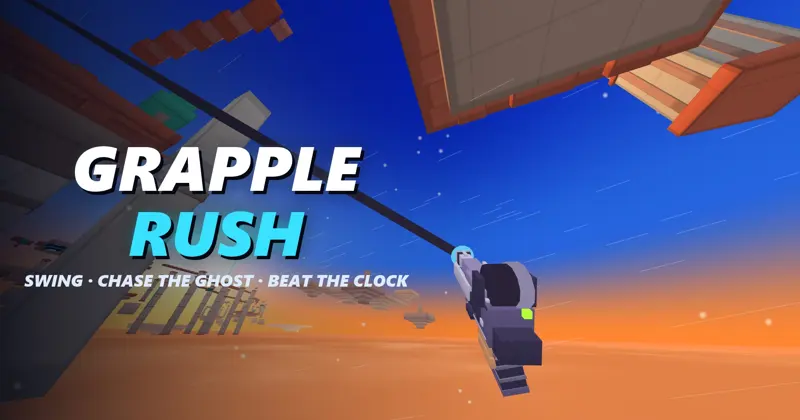
Grapple Rush on CrazyGames is a first-person parkour time trial. The central control distinction is your rope state: right click climbs the rope while you are hooked, but becomes an air boost when no rope is out. Space also changes with context, serving as jump or rope climb. Before blaming a missed input, check whether you are still attached.
The official description recommends letting go at the top of the swing to launch across a gap. Use that as a starting cue, then learn the particular landing in front of you. This guide covers the CrazyGames release with Dawn Isles, the Canyon and the Towers; it does not combine controls from other games called Grapple Rush.
| Action | Input | Condition |
|---|---|---|
| Move and look | WASD and mouse | Movement and camera control |
| Fire and hold the hook | Hold left mouse button | Aim at something solid |
| Release | Let go of left mouse button | Ends the attachment |
| Climb the rope | Space or right mouse button | While hooked |
| Air boost | Right mouse button | No rope out |
| Jump / slide | Space / Shift | Use the appropriate movement state |
| Restart / pause | R / Esc | Restart the attempt or pause it |
Practice one gap in separate stages
Pick a nearby solid surface and look directly at it before firing the hook. Hold left click to maintain the connection. For the first attempt, pay attention to whether the rope stays attached; releasing the button immediately changes the exercise from swinging to launching.
Once you can keep the connection, practice a release. Follow the swing toward its high point and let go. Notice whether you fall short, go beyond the landing or travel in an unhelpful direction. That observation gives you a specific change for the next run. It does not require a stopwatch or a medal target.
Use R when you want to repeat the attempt from the start. Change one part of the sequence at a time, such as the point you attach to or the moment you release. A run where everything changes can be exciting, but it gives you little evidence about which adjustment helped. The suggested drill is an editorial learning routine, not a verified route through every course.
Reeling and boosting solve different problems
While you are hooked, Space or right click climbs the rope. That changes your position relative to the attachment. Releasing left click ends the connection; with no rope out, right click becomes the air boost. The same button can therefore produce a different movement a moment later.
If you expected an air boost and instead moved along the rope, check whether left click was still held. If you expected to reel but were already detached, the movement state had changed before the input. Describe the mistake using the state and action together: hooked plus right click, or no rope plus right click. That is easier to repeat correctly than remembering only a button.
Avoid treating every short landing as a reason to add a boost. First check the anchor choice and release. Once those are repeatable, experiment with the boost and compare the landing. The listing does not specify a universal boost distance, cooldown or optimal timing, so those values are not assumed here.
On touch, separate movement from looking
Touch uses the left half of the screen for movement and the right half for looking. The visible HOOK, JUMP, REEL and SLIDE buttons handle the named actions. The official listing specifies landscape orientation. Rotate the device before starting and leave room for both hands without covering the part of the course you need to read.
A useful first check is to move without turning, then look without moving, before combining the two. Find the on-screen hook and reel controls while stationary or at a safe point. The desktop right-click mapping should not be translated into an invented touch gesture; follow the touch controls shown by this version.
On desktop, switching tabs or leaving fullscreen can return the mouse to the browser. Click back into the game when you are ready to control the camera. If you need the pointer for the surrounding page, pause first.
Use a ghost to compare one part of your run
The listing describes 15 courses across three worlds. Dawn Isles uses floating platforms, the Canyon emphasizes wall-to-wall travel, and the Towers climbs through a city. It also describes moving anchors. Repeating a course can therefore demand attention to an anchor’s position rather than only memorizing where it was before.
Runs produce ghosts, and the game lets you race your own, download a world-record ghost or chase a nearby leaderboard player. Start with your own attempt when you want a manageable comparison. Pick one gap to improve, then see whether your new run reaches the next landing earlier or more consistently.
Bronze, silver, gold and author medals provide longer-term goals. No medal times are listed here because the required time belongs to the particular course. A leaderboard result also does not prove a route will suit your current control skill. Finish the course reliably before turning every jump into a record attempt.
Share the nine-letter course code
The workshop builds a course from sections, difficulty and a seed, then provides a nine-letter code. According to the official listing, the code recreates that layout for a friend and gives the course its own leaderboard. Copy the complete code and confirm you are both using this same CrazyGames game before comparing runs.
The code describes the course. It should not be treated as a reward code, a control preset or an account transfer. Agree on the course code first, then choose whether your shared goal is simply finishing or improving a time. The separate daily challenge gives everyone the same daily course.
For another parkour option on Nisu, Dreadhead Parkour uses a side view and keyboard movement. It is useful when you want a different kind of jump-and-slide challenge, but its keys and physics are its own. Open Grapple Rush through the official button above when you want to practice the hook sequence.
Quick help
Why does right click reel instead of boost?
Right click climbs while hooked. The air boost applies with no rope out, so check whether you have released left click.
How do I let go of the hook?
Release the left mouse button. Holding it keeps you attached under the published desktop controls.
Is the nine-letter code a redemption code?
No. The workshop code represents a custom course layout for sharing with a friend in this version.
Source and scope
This independent guide draws on Play Grapple Rush on CrazyGames, checked on Oct 10, 2026. Published requirements and rules come from the linked sources; practice routines and examples are Nisu editorial suggestions.
 Play now