

What the Explorer Gadget does
The Explorer Gadget is a built-in Pokémon GO feature that attempts to catch eligible nearby Pokémon using Poké Balls and spin PokéStops as you explore with your device. A catch attempt is not a guaranteed catch.
Pokémon GO’s newer update says the gadget can also work while you actively play; it continues to work while the game is not actively open. The help center still describes a phased rollout, so availability may vary by account.
How to activate it
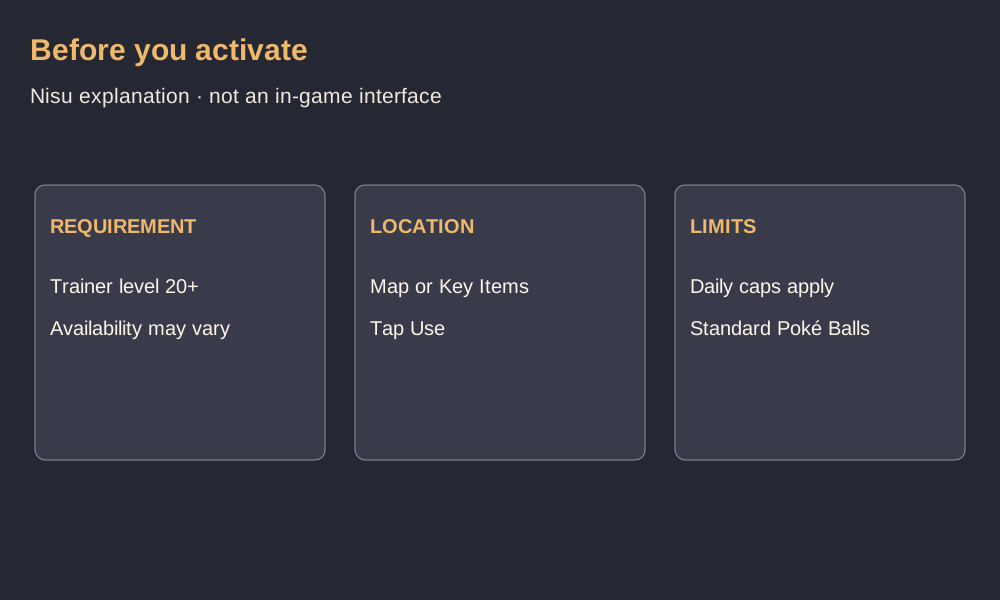
You need to be Trainer level 20 or higher. Tap the Explorer Gadget icon at the top right of Map View, or open the Item Bag and find the gadget under Key Items. Tap Use in its window.
If a physical accessory is paired, the map icon may not appear. Use the Key Items route and disconnect the accessory before using the gadget. The gadget and an accessory cannot be active at the same time; you do not need to unpair the accessory.
Playing while the gadget is active
During active play, Pokémon GO says a pink Poké Ball appears above a Pokémon or PokéStop the gadget is trying to handle. You can tap the target yourself to take over, but the official update says the window to do so is limited.
Open the gadget from the map or Key Items to see its summary of caught Pokémon and PokéStops spun. While exploring, carry your device; activating the feature is not a substitute for moving through the real world.
Daily limits, Poké Balls and skipped Pokémon
The gadget has daily catch and spin limits based on Trainer level. The official announcement does not provide a numeric table, so this guide does not assume a fixed allowance. It uses standard Poké Balls, not Great Balls or Ultra Balls.
The gadget will not attempt certain Pokémon, including species not yet registered in your Pokédex and mighty Pokémon. The help center says other forms of an already registered species may be attempted. Full Pokémon Storage, a full Item Bag or a lack of Poké Balls can interrupt the relevant activity.
The original announcement says switching to a physical accessory while the gadget is active stops the gadget until the next day. Check the current in-game notices and official help if the behavior changes.
Availability and source limits
These instructions summarize official Pokémon GO announcements and support text checked November 4, 2026. The help article still mentions phased rollout, while the newer announcement describes active-play support; neither establishes availability for every account.
We did not sign in, activate the gadget or test a device or accessory. The cover is a Nisu text graphic, not a screenshot of the game.
Quick help
How do I get the Explorer Gadget?
It is a built-in Pokémon GO feature for Trainers level 20 or higher, subject to availability. Look for it in Map View or your Item Bag’s Key Items.
Does the Explorer Gadget work while Pokémon GO is open?
The newer official update says it can help while you actively play as well as when the game is not actively open.
Can it work with Pokémon GO Plus + at the same time?
No. Pokémon GO says a paired accessory and the gadget cannot be active simultaneously, although you do not have to unpair the accessory.
Source and scope
Official Pokémon GO help and announcements checked November 4, 2026. No gameplay or device test.