
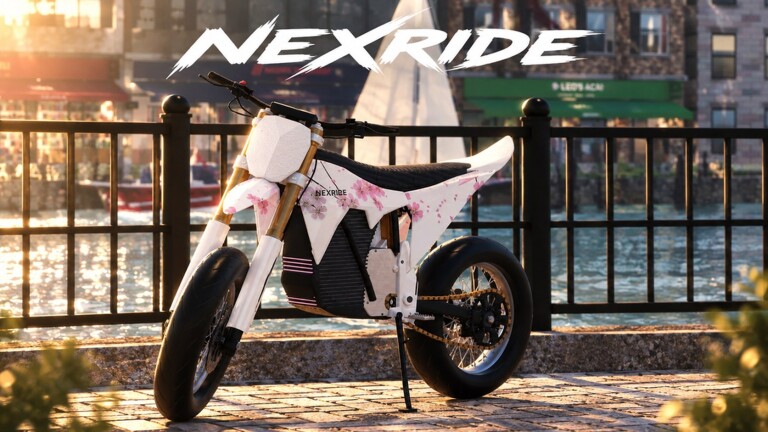

Which NexRide is the Roblox game?
NexRide on Roblox is the motorcycle and city exploration experience by Funspace Studio’s, place 111963209595404 and universe 10769925758. Its developer describes bike physics, customization, city traffic, work, deliveries and riding with friends. The creator group is 7019873.
The official listing checked October 28, 2026 is titled NexRide [DIRTBIKES]. Match the creator and numeric place ID when opening it; the bracketed update label may change. The public game metadata lists a server capacity of 16 players.
The startup and buying instructions below come from dated PC guides. Nisu has not entered a server or completed a purchase or delivery. Follow the live prompt if your bike or menu differs.
Start the bike that is actually in front of you
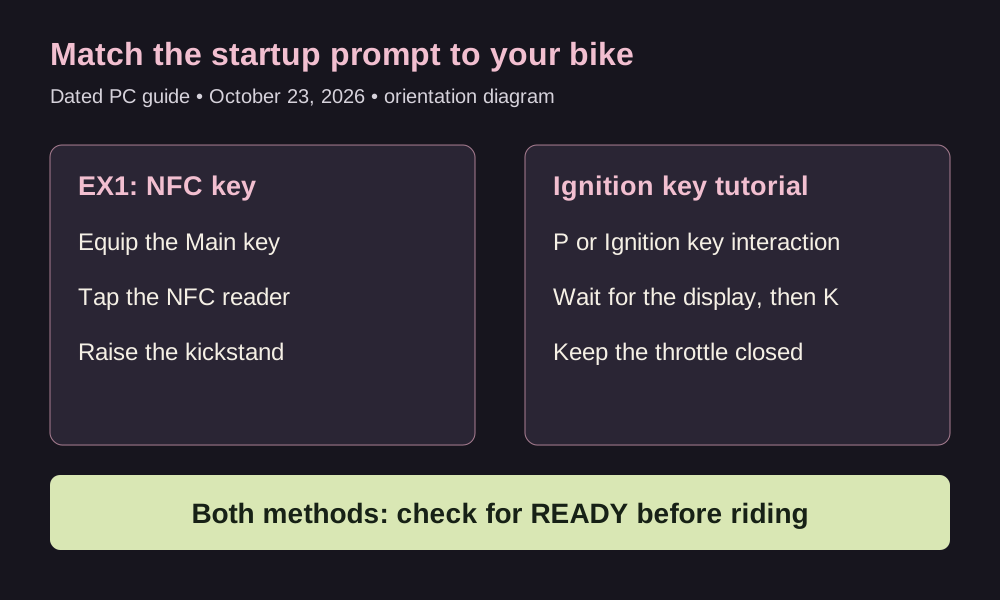
An October 23 NexRide Wiki guide documents two startup methods. For EX1, mount the seat, equip its Main key, tap the NFC reader and raise the kickstand. Press 1 only if that key is in hotbar slot 1. Look for READY on the display.
A different bike uses an Ignition key tutorial: press P or click that interaction, let the display start, press K for the stand, and keep the throttle closed until READY. These are separate methods. Do not apply the EX1 key sequence to every model.
The dated guide reports T for the phone and Alt to free the cursor in first person. Use the phone’s Controls entry for current bindings. PC keys are not mobile or controller instructions.
Buy a bike at Bike Hub, then collect it
NexRide Wiki’s October 23 buying guide distinguishes Bike Hub, the map destination, from Spoke & Volt, the buying counter inside. Its route is open the phone with T, choose Maps, then Bike Hub. Follow the displayed route and use E when the Buy a bike interaction appears at the counter.
In Bikes for sale, choose a model and read its purchase button and projected cash remaining. After purchasing, follow the glowing ground markers toward Your bike when WALK TO YOUR BIKE appears. Buying and collecting are separate steps.
The buying guide also reports returning to the garage by resetting the character after a purchase. Try the marked collection route first.
Before confirming a purchase, decide what you want from a second bike. Read its current price and description in the game. This guide does not rank a fastest model or turn old shop figures into measured speed, range or acceleration.
Find delivery work before chasing a cash rate
The developer names work, deliveries and memecoin trading as earning activities, without a payout table or a fastest-cash claim.
Jovan Krstić’s October 23 Pro Game Guides report identifies NEX Dash on the phone as the delivery entry, and NEX COIN as the trading app. For a first delivery, open the phone, find NEX Dash, and read the current offer and destination before accepting.
Try one manageable delivery after learning your bike. Read the completion response and compare your balance before choosing another job. This is a first-session suggestion, not a measured fastest-cash route.
The same report describes earning through riding stunts. This guide does not supply a wheelie cash formula, a police bonus, a guaranteed trading profit or a timed farming route. Those amounts need stronger evidence than an activity name.
What the creator confirms about customization
The creator advertises performance upgrades and changes to the bike’s setup. That confirms customization is part of NexRide, but does not document individual parts, prices, unlock conditions or an optimal build.
Learn the startup and stopping behavior of the bike you have before spending on another setup. When comparing a change, keep the route and conditions similar. This is editorial advice for making a useful comparison, not a NexRide performance test.
A separate driving game on Nisu
Backseat Rally is a different cooperative driving game. Its guide may suit you if you want a shared driving task, but its controls and rewards do not apply to NexRide.
Quick help
Which creator should I check on Roblox?
Funspace Studio’s, group 7019873. The NexRide place covered here is 111963209595404.
Why are there different bike startup instructions?
The dated PC guide describes an EX1 NFC-key method and a separate Ignition key tutorial. Match the prompt on the bike you mounted.
Where do I buy and collect another bike?
The October 23 buying guide places Spoke & Volt inside Bike Hub. After buying, follow the Your bike collection marker.
Where are delivery jobs?
The October 23 Pro Game Guides report points to NEX Dash on the phone. Read the current offer in the game; no fixed payout rate was verified here.
Source and scope
Checked October 28, 2026. Identity, server capacity, advertised customization and earning activities were checked against official Roblox data. PC startup and bike collection are attributed to October 23 NexRide Wiki guides; delivery app names to Jovan Krstić’s October 23 Pro Game Guides report. These dated secondary instructions were not tested in a server by Nisu. No developer-issued code string or detailed upgrade table was established, so neither is provided. FAQ entries summarize this guide’s help topics; they are not claimed as Google PAA or quoted player questions.
- Funspace Studio’s original NexRide listing: identity, city riding and advertised activities
- Funspace Studio’s: exact creator community
- NexRide Wiki, October 23: dated PC startup methods and phone controls
- NexRide Wiki, October 23: shop and collection route
- Jovan Krstić, Pro Game Guides, October 23: NEX Dash and NEX COIN app report