
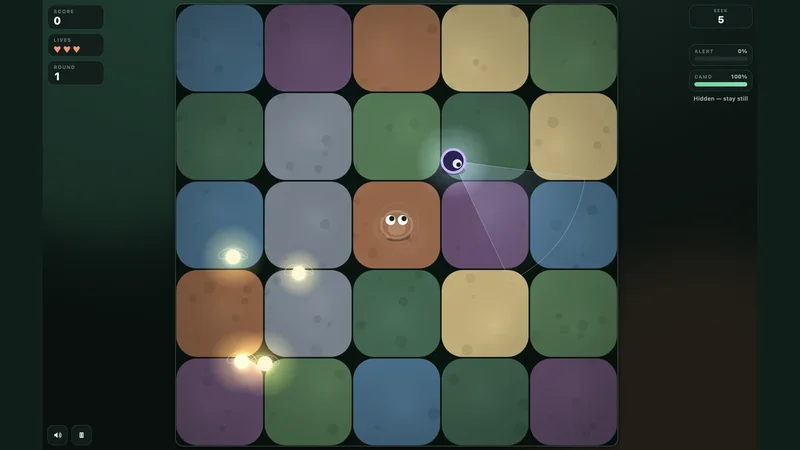

How do you move and hide in Mottle?
On desktop, hold and drag with the mouse or use the arrow keys or WASD. On a touchscreen, hold and drag with one finger. Release the mouse button, lift your finger, or let go of the keys to stop.
The Hide phase gives you time to position yourself before the Seek timer begins. Pick a spot where you can stop early and watch the first sweep. During the round, Esc or P pauses the game. Use the same key again or choose Resume to continue.
How do the Camo and Alert meters work?
Camo builds while you stay still, so you can still be visible just after releasing the controls. Give the meter time to fill before a cone of light reaches your position.
Alert rises when a Seeker sees you. If it starts climbing and you are already in a spot where you can stop, let camouflage build. When you are out of sight, Alert falls. If it fills, you are caught and lose a life.
When should you move for a firefly?
Try crossing just after a cone passes, then stop as soon as you reach the firefly. A short move lets you start blending again sooner. If the route crosses two Seekers’ paths, wait for a clearer gap or skip that firefly.
The round ends when the Seek timer runs out. To practice, survive one round while making as few moves as possible. Then try the same approach while aiming for one extra firefly.
Quick help
Why am I still visible after I stop moving?
Stopping starts the camouflage process. Watch the Camo meter and stay still long enough for it to fill.
Do I need to collect fireflies to advance?
Fireflies add score. Surviving until the Seek timer runs out advances the round.
Source and scope
The controls and round mechanics refer to the standalone browser version available in the Nisu player.
 Play now