

Find the office escape by scary robot game
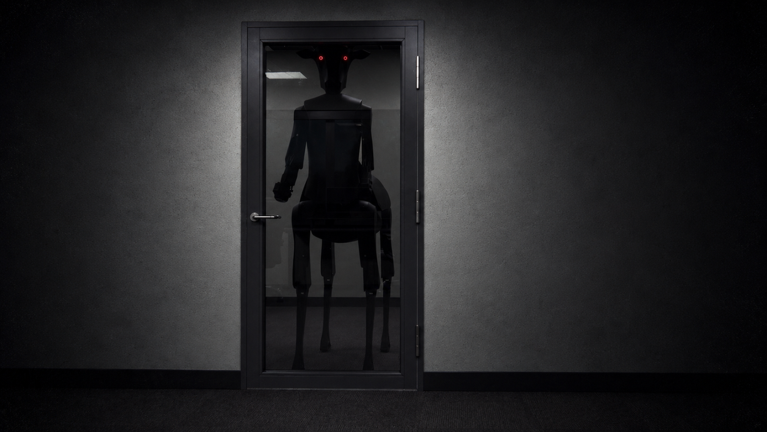
Maloch on Roblox is MALOCH by the creator group scary robot game, at place 83023909627337. The developer’s setup puts you inside an empty office building during a snowstorm, with something moving through the workplace. Your stated goal is to find a way out.
Use that creator and place link when choosing the experience. A similarly named wiki or video is not the game’s official entry. The developer describes the game as actively being developed and warns that bugs can occur.
Read the hearing warning carefully
The official description warns that the thing in the office understands and hears you. That establishes the premise, but does not specify a microphone requirement, detection distance or a particular silent-movement button. Confirm the current prompts inside the experience before relying on a control you know from another horror game.
For a first attempt, treat movement as an observation exercise: choose where you intend to go, notice what changes when the threat reacts, and remember the route you used. This is a suggested way to learn the environment, not a tested rule for defeating its detection.
Learn a route before treating a hiding place as safe
Keep track of recognizable surroundings as you explore. If you need to turn back, a landmark you remember is more useful than several hurried turns you cannot retrace. After a failed attempt, choose one thing to observe more carefully on the next visit.
This guide does not prescribe a hiding spot, a key sequence or a guaranteed escape route. In particular, standing behind an object should not be treated as proof that you are safe. Follow the actual interaction prompts and judge what happens in your current session.
Check Roblox visibility when joining a friend
The official experience data currently lists a 20-player server capacity. That is a server limit, not a verified size for a private escape party or a promise that everyone shares progress.
Roblox’s support guidance says the Show current experience setting controls who can see the experience you are in and join you. If a friend cannot find your session, check the permitted visibility options under Settings → Privacy & content restrictions → Visibility & private servers → Visibility. Available choices depend on age and region.
Use the current Roblox joining options when your session is visible and space is available. This is platform guidance; no custom Maloch lobby procedure or private-server entitlement is assumed.
Keep the first session small
Start by recognizing your surroundings and the game’s current controls, then work toward the exit objective. The suggestions above deliberately stop short of a walkthrough. Nisu has not played Maloch, tested noise or hiding behavior, or completed an escape.
This page was checked against the official listing and Roblox support on October 26, 2026. No badge condition is inferred from a badge name, and no map, monster timetable or end-to-end route is copied from an unofficial wiki.
Quick help
Who made Maloch on Roblox?
The creator is scary robot game. The official place ID is 83023909627337.
What is the goal?
The developer describes being trapped in an office building during a snowstorm and trying to find a way out.
Does a 20-player server mean a 20-player escape party?
No party size is established here. Twenty is the capacity listed in the official experience data.
Is this a tested escape walkthrough?
No. It is a source-based introduction with editorial observation advice, not a personally completed route.
Source and scope
Identity and the escape premise come from the creator’s official listing. The server limit comes from official experience data, and joining guidance from Roblox Support. No noise, hiding or escape mechanics have been personally tested.